

How to synchronize the application with the website and CRM
Table of contents
 03-04-26Read Time: 12 min
A mobile application should exist not as a separate product, but as part of a digital business ecosystem that already includes a website and CRM. If these tools are not synchronized with each other, duplication of processes, data discrepancies, and loss of some applications occur. Integration of a mobile application with a website and CRM allows you to combine all channels of interaction with customers into a single system. Data is synchronized automatically, the user solves his tasks regardless of the device from which he interacts with the service. For a company, this is not only the convenience of managing business processes, but also increased efficiency: faster processing of applications, synchronous operation of all sources of audience engagement, fewer errors due to the human factor, more opportunities for scaling the business and improving the marketing strategy.
How does mobile app integration with other services work?
Synchronization of the mobile application with the website and CRM is carried out through API integration. All data is synchronized automatically and remains up-to-date on each platform. Any action of the user or manager is immediately reflected in the application, on the website and in the CRM. If a client places an order through the mobile application, it instantly enters the CRM and becomes available for processing. If the manager changes the order status, adds a comment or fixes the payment, these changes are automatically reflected in the application and on the website, the user sees up-to-date information at any time.
Technically, integration is implemented through API (Application Programming Interface) – a set of protocols and rules that ensure data exchange between platforms. API acts as a connecting mechanism that allows you to transfer information between the site, application and CRM in a structured form. Data is not manually copied and not duplicated, but is transferred from one source to another in a holistic and up-to-date form. This process occurs in real time, forming a continuous work cycle without delays.
Without synchronization, each channel works separately – data about customers, orders, and products has to be transferred manually or duplicated in different systems. This increases the workload on the team, complicates process control, and creates a high risk of errors. Information may differ on different platforms, and some applications are simply lost or processed with a delay. This is especially critical when scaling a business. As the number of customers and orders increases, manual management becomes as inefficient as possible. Processing delays occur, data confusion occurs, and service quality decreases. In such conditions, integration turns from an additional option into a basic necessity.
Synchronizing the application with the site
The exact list of application and website integrations is determined for each project individually – it all depends on the specifics of business processes. You can synchronize all functionality or only individual components to simplify the user experience, increase the efficiency of order processing, and reduce the burden on administrators.
Catalog of goods or services. Adding and updating goods and services, editing names, descriptions, photos, tables, characteristics, prices, categories, catalog structure – all these actions are performed synchronously on the website and in the mobile application, regardless of which admin panel the changes are made through. Both manual actions of the administrator and automatic processes are synchronized – calculation of prices with discounts, availability of goods in the catalog, current delivery methods, etc. This approach allows you to maintain order in the data even with a large assortment and frequent updates.
Prices and availability. Prices and stock levels can change very quickly, especially in online stores and services with a large number of items. Synchronization ensures that current prices, promotions and product availability are correctly displayed in real time. This reduces the risk of situations where the user sees outdated information and orders an item that is out of stock.
Orders and Cart. Purchases and orders are synchronized between the site and the application. Orders created on the site are immediately displayed in the application, and vice versa. Order statuses and items in the cart are updated synchronously, customer contact information and purchase history are stored. This increases convenience, reduces the number of incomplete purchases, and allows the user to start the interaction on one device and complete it on another.
Personal user account. The user can log in to both the website and the application using the same data. Access to the personal account is saved on both platforms. Contact information, order history, selected products, profile settings, delivery addresses, saved payment instruments, accumulated bonuses, saved delivery addresses, selected products, comparisons and other personal data are synchronized.
Loyalty program. Synchronization allows you to implement a single system for accruing bonuses, calculating discounts, generating special offers, and using promotional codes. The user sees his bonus balance, current offers, and birthday greetings, receives push notifications, and uses other loyalty program privileges when interacting with the service on the website and in the application.
Reviews and ratings. Comments, ratings and ratings of goods and services left on the site are automatically displayed in the application, and vice versa. Processing and moderation of reviews, responses and comments of managers are synchronized. This allows you to form an objective rating, promptly respond to feedback and increase user trust.
Online payment. Order payment information is synchronized between the website and mobile application immediately after the transaction. Payment status (successful, pending, rejected) is displayed correctly on both platforms, allowing the user to see the current status of the order. This helps the business to keep transparent records of financial transactions and avoid situations where the order is displayed as unpaid due to delays in updating data.
Synchronization of the mobile application with CRM
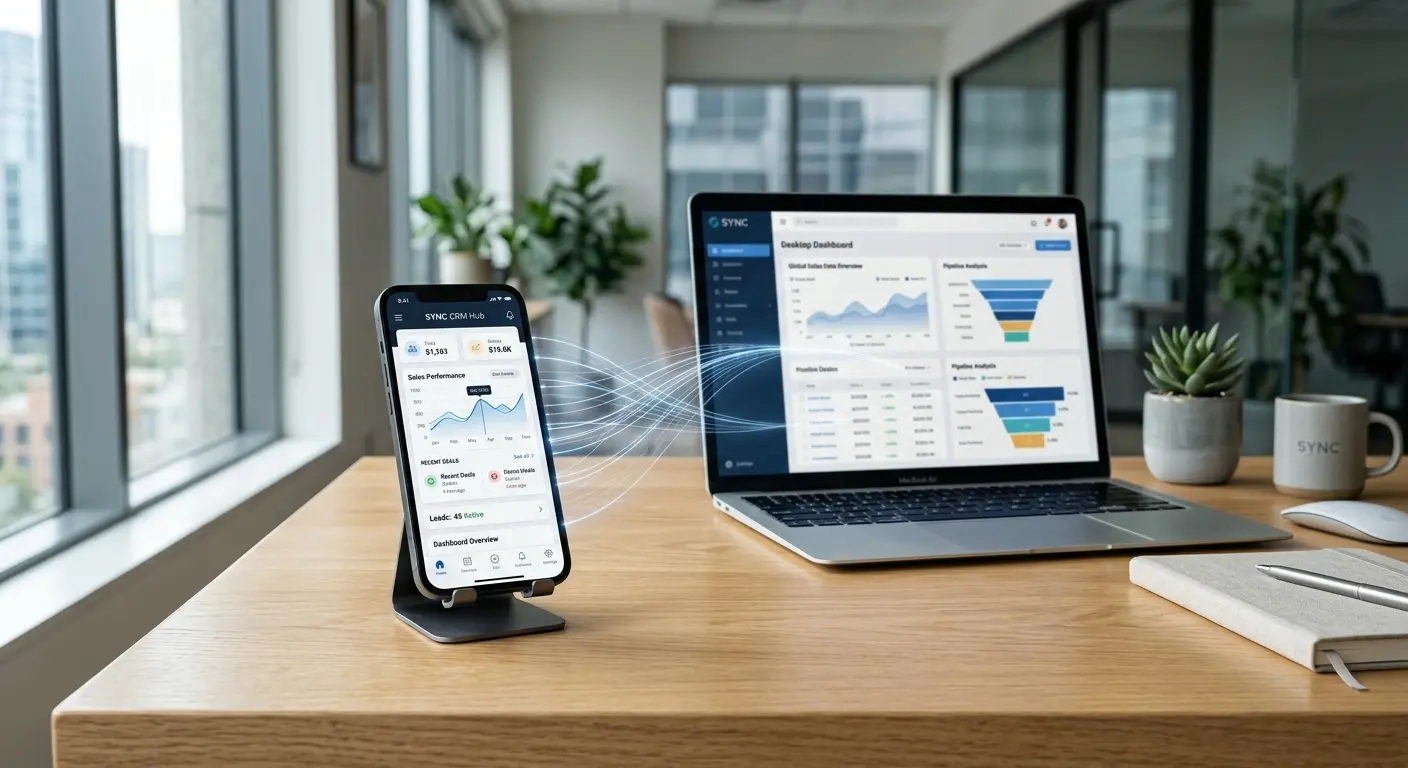
CRM system is used as a customer and sales management center. Integration of mobile application with CRM provides automatic data transfer and allows you to build a continuous process – from the first contact with the client to the completion of the transaction (purchase, order). Let’s consider the main elements that it is advisable to synchronize between CRM and application if the company wants to use both tools effectively.
Applications and leads. Applications from the mobile application are automatically reproduced in CRM. These can be orders, purchases through the cart, appointments for consultations, completed forms or any other requests. A full set of data is attached to the application: contact information, selected products or services, comments, prices, delivery methods, payment statuses. The application is immediately put into operation without manual transfer of information. Then the CRM can automatically assign a responsible manager, update the status, send push notifications to customers’ smartphones and launch other specified processing scenarios.
Customer data. A separate contact is created in CRM for each user who interacts with the mobile application. Name, phone, e-mail, order history, activity and behavior in the application are synchronized. With repeated requests, the data is supplemented, gradually forming a real portrait of the target audience. This allows you to build a full-fledged customer base and work with it systematically: segment the audience, track customer value, launch personalized offers.
Order statuses. CRM records each stage of work with an order – new, in processing, accepted, paid, fulfilled, canceled, etc. These statuses are synchronized with the mobile application – the user sees the real status of the order without having to contact support. The manager works in a single CRM interface and controls all stages without additional tools.
Finance. Information about the online payment made is automatically transferred to CRM and linked to a specific order. The amount, payment method, transaction date, and payment status are recorded. This avoids situations where the order is processed as unpaid or requires additional verification. Financial information is immediately available for further actions: order confirmation, product shipment, service provision, analytics, and reporting.
Communication with customers. User requests from the application can be automatically recorded in CRM as messages or comments to the order. The communication history is stored in one place: requests, answers, clarifications, reactions. Any manager can quickly understand the context of the previous interaction and continue the dialogue. Communication becomes more effective for business and comfortable for users.
Process automation. Integration allows you to run automatic scenarios immediately after a specific user action in the mobile application. For example, creating a request through the application can automatically trigger assignment to a specific manager, change the status, send a message to the client, or create a task in CRM. This reduces manual work, speeds up order processing, makes processes standardized, and reduces dependence on the human factor.
Analytics and reporting. All data from the application is accumulated in CRM and used for analysis. Sources of applications, sales, conversion at different stages, speed of processing requests, efficiency of managers and many other indicators are recorded. This allows you to assess the effectiveness of the application as a sales channel and, based on real data, make decisions about further development of the project, scaling of advertising campaigns, and adjusting the marketing strategy.
Benefits of integrating a mobile app with a website and CRM
Integration unites all digital platforms of the business into a single system, which positively affects the efficiency of work, quality of service and financial results. Synchronous work optimizes the entire logic of interaction with customers, and does not just solve individual tasks. What are the main advantages:
- Individual configuration of synchronization parameters. API integration technology allows you to flexibly determine which data and by which algorithm you need to synchronize. A business can configure partial or full synchronization: select individual sections (catalog, orders, customers, etc.), set the logic for data update. This allows you to adapt the system to a specific business without unnecessary functionality.
- Reducing operational process costs. Without integration, you have to do double work: fill out the catalog separately, process orders, duplicate customers in different systems. This requires additional resources and employee time. Synchronization solves these problems – information is entered once and automatically reproduced on all platforms.
- Reducing the human factor . When manually entering information, there is always a risk of errors: incorrect prices, outdated availability, duplicate orders. Integration provides automatic data exchange, which eliminates discrepancies between the site, application and CRM. All systems work with equally up-to-date information.
- Fast processing of applications. Applications from the mobile application instantly enter the CRM and can be immediately processed by managers. No time is wasted on transferring information between systems and employees. Customer response time is reduced, conversion is increased, and customer loyalty is strengthened.
- A single customer database. All customer data is stored in CRM, regardless of the interaction channel. The history of orders, requests, payments, and communications is stored in one place. This allows you to build a systematic work with the customer base, analyze behavior, and increase marketing efficiency.
- Business process automation. Integration allows you to automate basic processes: processing applications, changing statuses, communicating with customers, assigning tasks to managers, and others. User actions in the application can automatically launch the necessary scripts in CRM. All this reduces the burden on the team and increases the speed of work.
- Improving user experience. The user receives a stable, convenient and predictable service. Data is synchronized between the site and the application: current prices, order statuses, purchase history, bonuses – this is convenient and builds trust in the service.
- Control and transparency of processes. All operations from the first request to the completion of the order are recorded in the system. The manager can control the number of applications, statuses, efficiency of managers, financial indicators. Integration provides complete transparency and allows you to quickly identify problem areas in the operation of the mobile application.
- Easy scaling. As the number of clients and orders increases, synchronized platforms continue to operate stably, without delays or data loss. There is no need to refine the mechanism – the processes are already automated, and the appropriate capacities for a larger load are pre-set.
- Sales growth. Fast application processing, no errors, personalized customer service, and a convenient user experience have a positive impact on conversion. The business does not lose customers at different stages of processing, turning mobile application visitors into regular customers.
When synchronization is critical
Integration of a mobile application with a website and CRM is not always implemented immediately after launch, but in some cases it becomes critically necessary. The more complex business processes and the larger the volume of data, the stronger the need for comprehensive synchronization. When integration is mandatory:
- If a company has an active website and/or CRM and a mobile app, when the business simultaneously uses multiple channels for customer interaction and order processing, the lack of integration leads to data discrepancies (catalog, prices, orders, payments, etc.). This creates inconvenience for customers and complicates business process management.
- If you work with a large number of applications – as the flow of applications increases, manual processing becomes inefficient and too expensive. Data can be lost, duplicated, or processed with a delay. Integration ensures that all applications from the application automatically enter the CRM.
- If a company has a sales department, when a whole team of managers works with customers, it is important to have a single system in which all applications, contacts and stages of order fulfillment are recorded. Without integration, some information remains in the application outside the CRM, is transmitted with a delay or is lost. Synchronization allows managers to work in a single environment, see up-to-date data and effectively interact with customers.
- If analytics and control are important – without synchronizing the application with other company platforms, it is difficult to get an objective picture of business performance. Integration helps track real comprehensive indicators: number of applications, conversion, channel efficiency, and manager performance.
Order integration of a mobile application with a website and CRM from KitApp
Integrating a mobile application with a website and CRM requires an individual analysis of business processes. It is important to understand what tools are used, how applications are processed, what data should be transferred between systems. Special attention should be paid to the level of automation: which operations should be performed automatically, and which should be left under the control of managers. This approach allows you to avoid unnecessary functionality, optimize costs, and build integration that fully meets business objectives.
If you are planning to develop a mobile application or want to integrate it with existing systems, contact our KitApp team for a consultation. Leave a request via the form on the website – we will analyze your tasks, determine the optimal integration format, and provide professional technical implementation.


